


Precision control is the backbone of any great gaming session, but a broken Xbox One controller shouldn’t force you to the sidelines. While Microsoft designed the Xbox One with a new hardware architecture, making older peripherals technically incompatible, there is a proven professional workaround.
By utilizing the Xbox streaming ecosystem on Windows, you can bridge the generational gap and put your trusted Xbox 360 hardware back into service.
Table of Contents
- Do Xbox 360 Controllers Work on Xbox One?
- Can Xbox 360 Controller Connect To Xbox One?
- How to Connect Xbox 360 Controller to Windows 10 System to Play Xbox One Games
- How To Reduce Input Lag On Xbox 360 Controller PC?
- Benefits of Wired Xbox 360 Controller
- Controllers Compatible With Xbox One
- Frequently Asked Questions
- Conclusion
Native Compatibility: Will an Xbox 360 Controller Work Directly?
From a technical hardware perspective, the Xbox One console utilizes a different wireless protocol than its predecessor, meaning a direct “plug and play” connection for Xbox 360 peripherals is not natively supported. Our testing confirms that this lack of backward compatibility extends to most legacy accessories, including headsets and chatpads. However, by leveraging the Xbox app ecosystem as a middleman, we can bypass these hardware restrictions through network-based signal routing.
Can an Xbox 360 Controller Connect to an Xbox One?
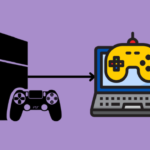
While it is impossible to directly connect an Xbox 360 Controller to the Xbox One, users can use an Xbox 360 Controller on Xbox One if they have a desktop or a laptop with the Windows 10 operating system. Users can easily use both wired and wireless Xbox 360 Controllers on their Xbox One or Xbox One S consoles.
Step by Step: Connecting Your Xbox 360 Controller via Windows Streaming
To do this trick, users would require an Xbox One console, Windows 10/11 System, and a wired or wireless Xbox 360 Controller along with a wireless adapter.
To do this trick, users would require an Xbox One console, Windows 10/11 System, and a wired or wireless Xbox 360 Controller along with a wireless adapter and USB cable.
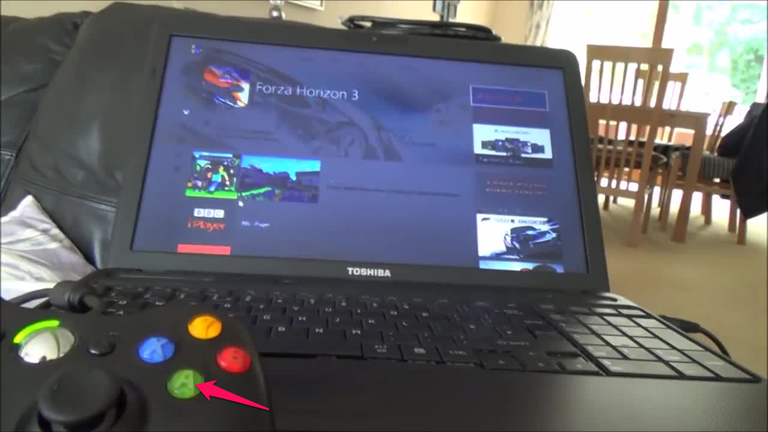
- Plug the Xbox360 Controller device into a Windows 10/11 device.

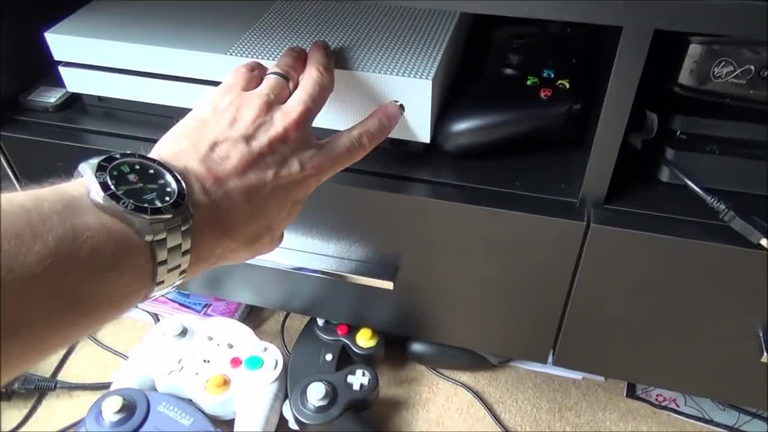
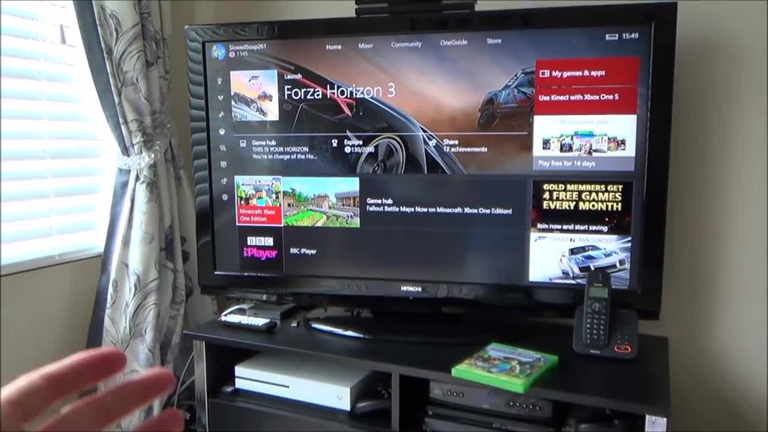
- Connect the Xbox One console to the main system.
- Turn on the Xbox One console manually.
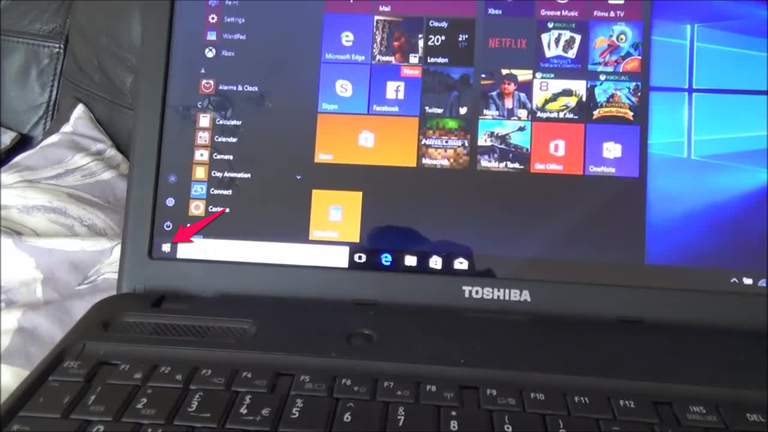
- Go to the Windows 10/11 system and click the Start button.
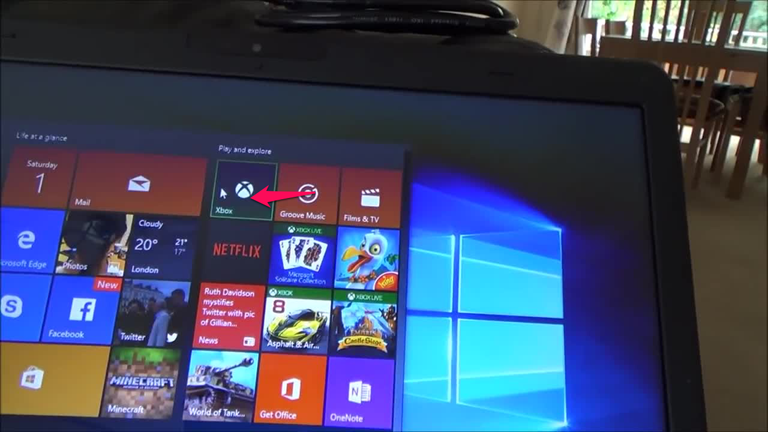
- Go to the Xbox app installed on the Windows 10/11 PC.
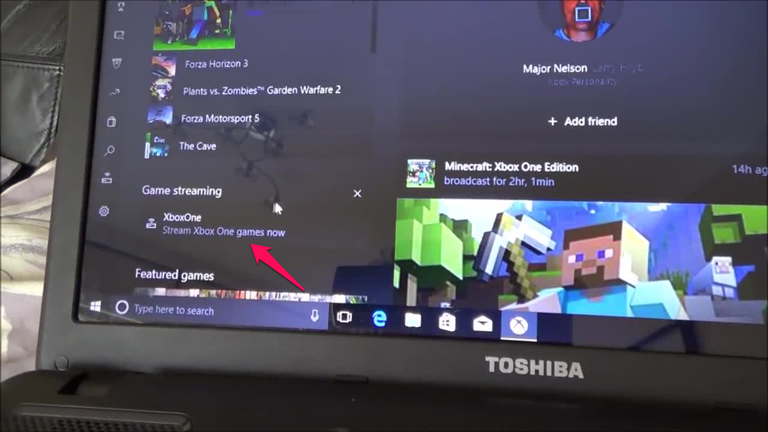
- Hit on the Xbox Games Now.
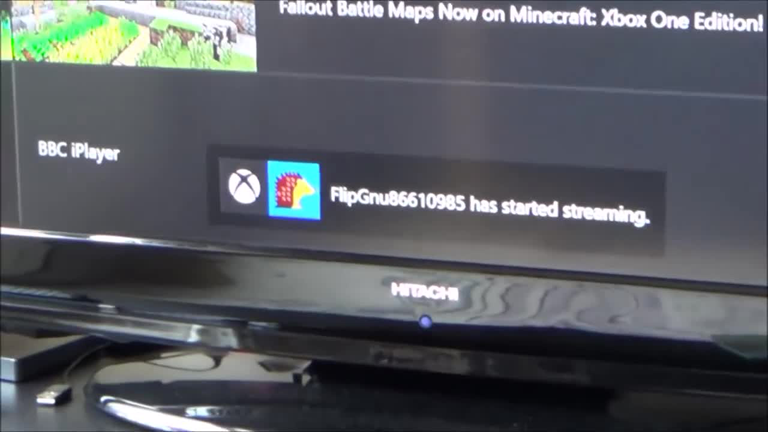
- It will connect to the Xbox One console, and Gamertag will start streaming.
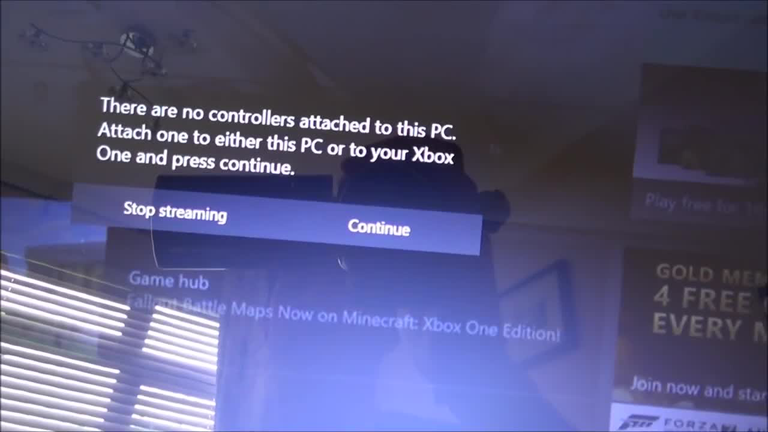
- The Windows 10/11 PC will show that no controller is attached to the PC or to the Xbox One console.
- To connect a controller to the console Plug in a USB cable to the USB port on the Windows 10/11 system (Applicable if you have not done Step 1 properly).
- Now hit the continue button on the PC.
- Now users can start to play games on Xbox One using an Xbox 360 controller.
How To Reduce Input Lag On Xbox 360 Controller PC?
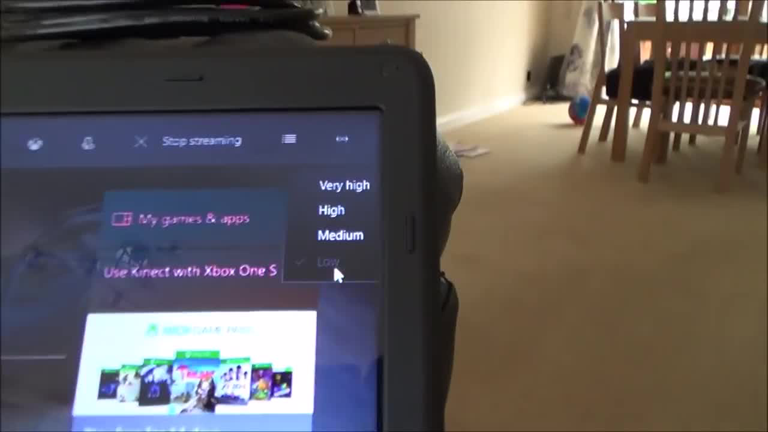
While the Windows streaming workaround is highly effective, users must account for potential latency that occurs during signal conversion. To ensure a competitive gaming experience with zero perceptible delay, we recommend a hardwired Ethernet connection for both the PC and the console. Eliminating the “hops” of a wireless signal significantly reduces the processing time required for your controller inputs to register on the Xbox One hardware, providing a much more responsive feel during high-speed gameplay. Here are some tips that might help users avoid input lag while using a wireless Xbox 360 Controller connected to a PC for accessing Xbox One games.
- Users can reduce the quality settings of the stream on the Windows 10 PC.
- Use a Wi-Fi connection to connect the Xbox One console to the PC.
- They should use a proper cable to connect the wireless Xbox 360 Controller to the system.
- Plugging the Controller into the system will reduce the input lag.
Benefits of the Wired Xbox 360 Controller
People who use a wired Xbox 360 Controller on the Xbox One console face less input lag. Wired controllers do not rely on Bluetooth connectivity for signal transmission. A wired signal transfer is far better and more consistent than wireless signal transmission. That is the reason using a wired Controller improves the system input lag.
Controllers Compatible With Xbox One
Generally, the Controller that comes along with the Xbox One console works the best on the platform. However, many users choose different controllers that do the job perfectly. Many modern controllers work perfectly fine on Xbox One.
- Microsoft has made some major improvements in its controller and launched an upgraded version of its controller known as the Elite Series 2
- Xbox Adaptive Controller
- PowerA Fusion
- Thrustmaster TMX Force Feedback
- Xbox Core Controller
- MAYFLASH Arcade Stick F500 Elite
- Razer Wolverine V2
- Hyperkin Duke Wired Controller
- Thrustmaster T-Flight HOTAS One
Frequently Asked Questions

How do you sync an Xbox 360 Controller to an Xbox One?
Users can sync a wired or wireless Xbox 360 Controller to an Xbox One console using a Windows 10/11 PC and link a wired Xbox 360 Controller to the PC.
What controllers are compatible with Xbox One?
Xbox Elite Series 2, Xbox Core Controller, Xbox Adaptive Controller, Razer Wolverine V2, and PowerA Fusion are some of the best controllers for the Xbox One console.
Can an Xbox 360 Controller Connect To Xbox One?
The Xbox 360 Controller is not compatible with the Xbox One Console; therefore, it cannot be directly connected to the Xbox One console.
Can you use an Xbox 360 Controller on Xbox One?
The Xbox 360 Controller cannot be used directly on the Xbox One Console.
Do Xbox 360 Controllers Work on Xbox One?
Xbox 360 Controllers do not work on Xbox One consoles. Users need to have a Windows 10/11 PC, an adapter, and a stable Wi-Fi connection to use Xbox 360 controllers with Xbox One.
How can we use two controllers for multiplayer game purposes?
If users have an Xbox One Controller and an Xbox 360 Controller.
1. Link the Xbox 360 Controller to the Windows 10 system.
2. Attach the Xbox One Controller to the Xbox One console.
3. Enjoy Split screenplay games with a multiplayer option.
Conclusion
The Xbox One is the descendant of the Xbox 360 console. The Xbox 360 console is considered the best gaming console of its time. However, there is a huge difference between the two consoles in terms of features. Although the majority of accessories of the Xbox 360 console cannot be used on the Xbox One, a few add-ons can be tweaked to be used with both consoles, such as the Xbox 360 Controller.

Brian A. Bowers
I’ve been curious about this! So there is a workaround 😏
Milford
I’ve always missed the xbox 360 controller and have a couple laying around. I’m so excited to get it back.