


Roblox is a website where you may play games made by other users. This is made possible by the use of its exclusive game engine called Roblox Studio. You can also design and program games. This game is currently accessible on several popular platforms, including an iOS and Android mobile app.
Additionally, you can go to https://now.gg to play Roblox. I’ll explain what is Roblox now.gg and how to use it to play Roblox in your browser without installing anything. Yes, I got to play Roblox in my browser, and you can too!
What is now.gg Roblox?
Now.gg is a site where you may play popular games like Roblox, Minecraft, and Fortnite, among others. All you need is a now.gg account, a Chrome browser, and a reliable Wi-Fi connection.
This helps on a device where you cannot install apps, such as a Chromebook or a shared computer, because the game is played straight from the browser. If the device belongs to your school or employer, follow its rules: gaming on it can break the acceptable-use policy even when a browser game loads.
In comparison to installing Roblox, users of the now.gg gaming platform enjoyed substantially smoother gameplay.
Reasons for Using now.gg
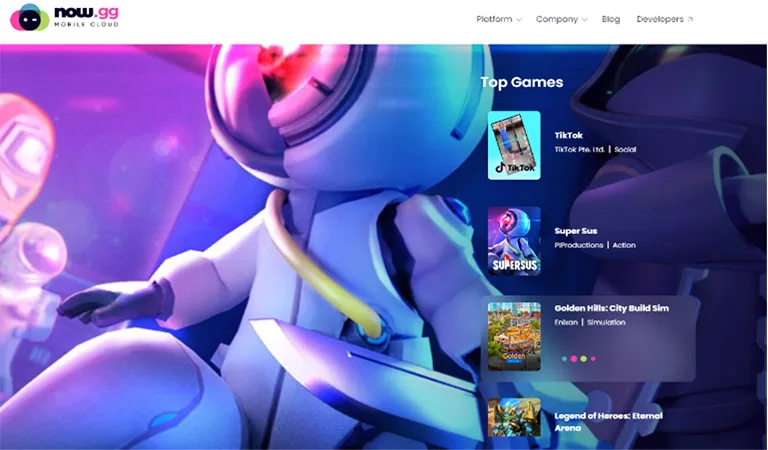
1. Mobile Cloud Gaming
With a mobile cloud gaming platform, everything is accessible online. To access it, all you need is a reliable internet connection.
2. No-Lag Experience
In most circumstances, everything will go excellently as long as you have reliable internet. There is a chance that the game will take some time to load.
You don’t need to stress too much about lag because it is a cloud-based gaming platform. Now.gg uses the strength of cloud computing to improve device performance.
3. You Don’t Need a Storage Area
All the data for now.gg is hosted on the company’s servers. Therefore, you can play it without downloading any software or other materials. The game will load, allowing you to immediately begin playing.
This Roblox browser gaming is definitely so convenient. I don’t have to download anything, as mentioned, and I can play anytime, anywhere!
4. Greatest Graphics
It does not rely on devices because it improves device efficiency and performance. Consider this. You play games with wireless controls and a screen. The game’s primary computer is somewhere elsewhere. And that PC will be the one that uses all the graphics, RAM, and other resources. So, your main concern should be with the Wi-Fi or internet connection. Essentially, that is how now.gg functions. As a result, you will enjoy the best possible graphic experience.
5. Excellent Assistance
Players can get amazing support from now.gg. Players can get immediate assistance from the now.gg support staff if they have any queries or issues.
6. Play the Newest Version Without Downloading
Now.gg is constantly working to bring you the most recent version. Whatever you choose to play, you will have the most recent games available. Now.gg promotes mobile versions more than the PC version because it is primarily for mobile gaming. However, it also has PC games available.
Best Browser to Play Roblox
You can use one of the various online browsers instead of a web browser to play Roblox.
You must remember that not every web browser will provide you with the greatest gaming experience.
As a result, I advise picking a web browser that is as adaptable as possible.
Google Chrome is the preferred web browser for Roblox users. With Roblox, hardware acceleration gives you a flawless experience.
How to Play Roblox in Your Browser
With now.gg, you can play nearly any video game on any device, regardless of its requirements, as long as it can run a web browser. This is because now.gg allows you to play your games by streaming them directly from their servers to the cloud.
- First, you can create or log in with a new account on now.gg.
- Then, open the Chrome browser on your device and go to the Roblox page on now.gg.
- Next, select Play In Browser.
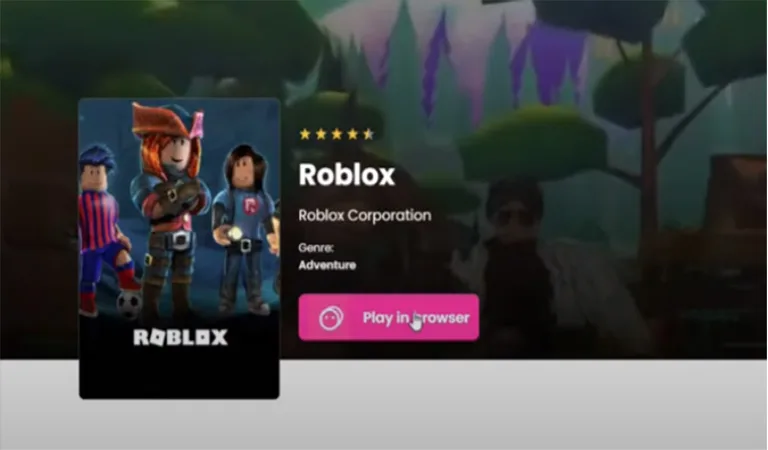
- This will take you to the loading screen.
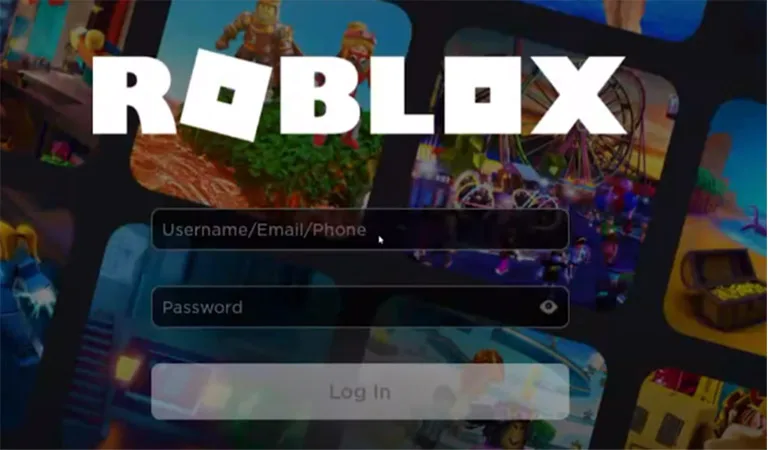
- You will be taken to the Roblox login screen. Please, type in your login information, such as your username and password. You can generate a new ID if you do not wish to use the present one.
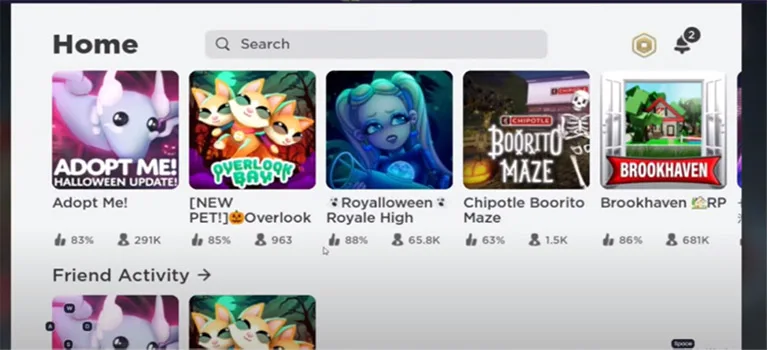
- The game will be accessible for play once you log into Roblox. You can discover the Roblox world on your browser.
Keep in mind that now.gg functions best on mobile devices. If your Windows or Mac devices develop problems, they may require emulators.
In case you don’t have Google Chrome, you can use Microsoft Edge or Safari. But limit yourself to compatible browsers.
Some of the Problems You’ll Encounter While Playing Roblox on Mobile Devices
Roblox is a powerful game platform that is compatible with computers and mobile devices. But lately, there have been some problems with the Roblox mobile apps that have compelled players to migrate to Computers and play Roblox in a browser by signing in at now.gg Roblox Login.
Let’s look at the several problems players encounter when using mobile devices to play Roblox:
- Sadly, you’ll discover that they don’t even manage to run the game at the highest resolution while utilizing a mobile device. They frequently only show the particular games that can be rapidly loaded on it.
- When you play games on your phone, it frequently gets really hot. This could eventually pose a serious hazard to all users who play it for extended periods and turn into a huge problem for them all.
- Unfortunately, some gadgets and games cannot even be played on mobile devices because they need a special key to be struck on a computer keyboard.
- You will notice that your mobile device frequently lags if you are one of those people trying to play numerous games on Roblox.
- When it comes to the visual aspect, you’ll realize that the graphics are lower if you’re using a mobile device. This is how it is presented to be compatible with the lavishly enhanced graphics that all PC users can take pleasure in.
Strategies to Stay Safe With Roblox App now.gg
You will only encounter a few issues as a lone user. The signup process is simple, and you will have no problems. However, the following advice will help you:
1. You can open a new Roblox account.
You can enter a new ID when you visit the Roblox page. If you worry that this might interfere with a previous save, that won’t happen. You can still complete top-ups, gain in-game currency, and do other things. Your ID will, however, be secure.
2. Use a good Internet connection.
You need to comprehend the significance of the internet, so I’ll say it again. The game will need to load quickly.
If you want a lag-free experience, make sure you have a fast internet connection. Otherwise, you will experience significant lag.
3. Watch out for scams and fake links.
Roblox and now.gg are legitimate services, but no platform is free of risk. Links promising free Robux, fake login pages, and unofficial downloads are common tricks, so sign in only on roblox.com or now.gg and never share your password or login information with anyone.
Do not accept files or other items without valid authorization. Before launching any apps, make sure to read their descriptions on now.gg.
4. Be patient and let loading finish.
Avoid reloading the game too frequently or hurrying it to load. Depending on your internet connection, wait patiently. The greatest advantage of now.gg is that it can be used anywhere. However, if you don’t have the greatest tool, it could take some time.
Frequently Asked Questions
Is now.gg Roblox Free?
Is now.gg Roblox Safe for Kids?
Younger children can play more safely when parental controls are turned on and parents monitor their children’s activity on the platform.
How to Play Roblox on a Browser Without Downloading?
Following that, your email will receive a special confirmation list. Please click the link in the email to access it and authenticate the registration.
You can then play Roblox in a web browser after that. There are many options available to you after signing in. On the home page, there will be a selection of available games from which to choose.
Does Roblox Work on now.gg?
What Happens if You Press F9 in Roblox?
Conclusion
I hope this article has shown you how to play Roblox in a web browser. Follow each step carefully! If you are using a mobile phone to play games, I have stipulated some of the hiccups you’ll probably encounter. So, check them out and see how you’ll avoid them by using the strategy on how to stay safe.

Jhonathan
will this work or a myth.
Tushar Thakur
It worked when we tested it, Jhonathan. now.gg changes the games it offers over time, so open now.gg and search for Roblox before you sign in. If Roblox is no longer listed there, use the official Roblox app instead.